Anthropic Just Made Every Desktop an AI Agent. Here's What That Means for Enterprise Governance.
Computer Use + Dispatch = autonomous agents on every MacBook. The governance conversation starts now.
Part of the “Securing the Agentic Era” series
This week, Anthropic shipped Computer Use. Claude can now click, scroll, open apps, and navigate your desktop like a human operator. Combined with Dispatch, you can assign tasks from your phone and walk away. This is the moment enterprise AI governance stops being theoretical.
This week Anthropic announced that Claude can now control your computer. Not through APIs. Not through integrations. Through the screen. Clicking, scrolling, opening applications, filling out spreadsheets, navigating browsers, and executing multi-step workflows autonomously.
They call it Computer Use. It’s available now as a research preview for Claude Pro and Max subscribers on macOS.
Paired with Dispatch. Which lets you assign Claude a task from your phone and have it execute on your desktop while you’re away. This is the most significant expansion of the agentic AI surface area since OpenClaw.
And it opens the door for enterprises to deploy Claude in ways that weren’t possible before. If the governance stack is ready.
What Anthropic Actually Shipped
Two capabilities, launched together:
Computer Use gives Claude the ability to interact with your desktop the way a human does. It sees your screen, moves your mouse, clicks buttons, types text, opens files, navigates browsers, and operates applications. When Claude doesn’t have a direct integration for a task, it falls back to screen-based control. Mimicking what you would do manually.
Anthropic built this on a permission-first model. Claude asks before accessing new applications. Users can stop execution at any time. There are safeguards against prompt injection. And Anthropic explicitly recommends avoiding sensitive data during the preview.
Dispatch is the mobile companion. You assign Claude a task from your iPhone, then turn your attention to something else. Claude executes on your Mac in the background. When it’s done, you review the work on your computer.
Why This Is Different From Everything Before
Every previous AI agent capability operated within defined boundaries. Claude Code runs in terminals. OpenClaw agents connect to specific tools via MCP. API integrations have scoped permissions.
Computer Use expands that model significantly. Claude now operates across the entire desktop environment. Every application, every file, every browser tab. The boundary isn’t an API scope. The boundary is the screen.
That’s what makes it powerful. And the organizations that deploy the governance stack alongside it will adopt it fastest.
The operational surface area is the entire desktop. This is what makes Computer Use transformative. And it’s exactly the kind of capability that enterprise CISOs want to say yes to, if they have the governance controls to deploy it responsibly.
Demand will be immediate. Employees are already using Claude for productivity. Computer Use and Dispatch accelerate that significantly. The organizations with governance in place will be the ones who can roll this out broadly instead of restricting it.
Structured evidence enables regulated deployment. When an AI agent navigates your ERP system, works with customer data, and generates reports. That’s enormous productivity. Anthropic built strong application-level controls: permission prompts, stop buttons, injection safeguards. The enterprise governance layer adds the audit trails and regulatory evidence that let compliance teams approve deployment.
The Questions That Unlock Enterprise Deployment
If your employees can install Claude Pro on their work MacBooks, and many already have, answering these questions is what separates the organizations that deploy Computer Use from the ones that block it:
Do you have visibility into Claude Computer Use adoption across corporate devices? Visibility is the first step to governance. And governance is what lets you say yes.
Can any AI agent access regulated data through screen-based control? Unlike API integrations with scoped permissions, screen-based agents can potentially interact with any application visible on the desktop.
How does your security posture account for prompt injection across desktop agents? Anthropic has built safeguards into Computer Use. Enterprise security teams should layer additional governance on top.
Where is the enterprise audit trail for autonomous desktop actions? Anthropic provides strong application-level controls. The enterprise governance layer adds structured, tamper-proof evidence trails mapped to compliance frameworks.
Does your DLP strategy cover screen-based agent actions? Computer Use operates through screen interaction. A new paradigm. Adding DLP at the AI gateway ensures full visibility and makes deployment straightforward.
Where Enterprise AI Governance Completes the Stack
Anthropic built Computer Use with thoughtful safety controls. Permission prompts, stop buttons, injection safeguards. That’s the right foundation at the application layer. Enterprise deployment layers governance on top:
Policy enforcement before execution. Beyond individual user permissions, the organization’s governance policy determines what any AI agent can do on this device, with this user, in this context. Enforced at the network layer.
Audit trails that satisfy regulators. Every desktop action, every data access, every file operation. Time-stamped, attributed, immutable. This is what Reign’s Audit Ledger (CAVR) produces.
Cost governance at the token level. Computer Use consumes meaningful compute. Token-level cost tracking per user, team, and use case gives finance teams the accountability they need to greenlight broader deployment.
Fleet-level visibility. When 500 employees run Computer Use sessions across 500 MacBooks, the CISO needs a single pane of glass. Reign’s AI Gateway · MCP Defense provides fleet management, policy enforcement, and real-time visibility.
DLP and PII filtering at the gateway. Reign’s AI Gateway inspects and governs all LLM traffic. Including the prompts and responses that drive Computer Use sessions.
The Bigger Picture
The pace of agentic AI is not slowing down. NVIDIA shipped NemoClaw for agent runtime security. Anthropic shipped Computer Use for desktop-level agents. These are independent capabilities solving different problems. And the enterprise governance layer sits above both.
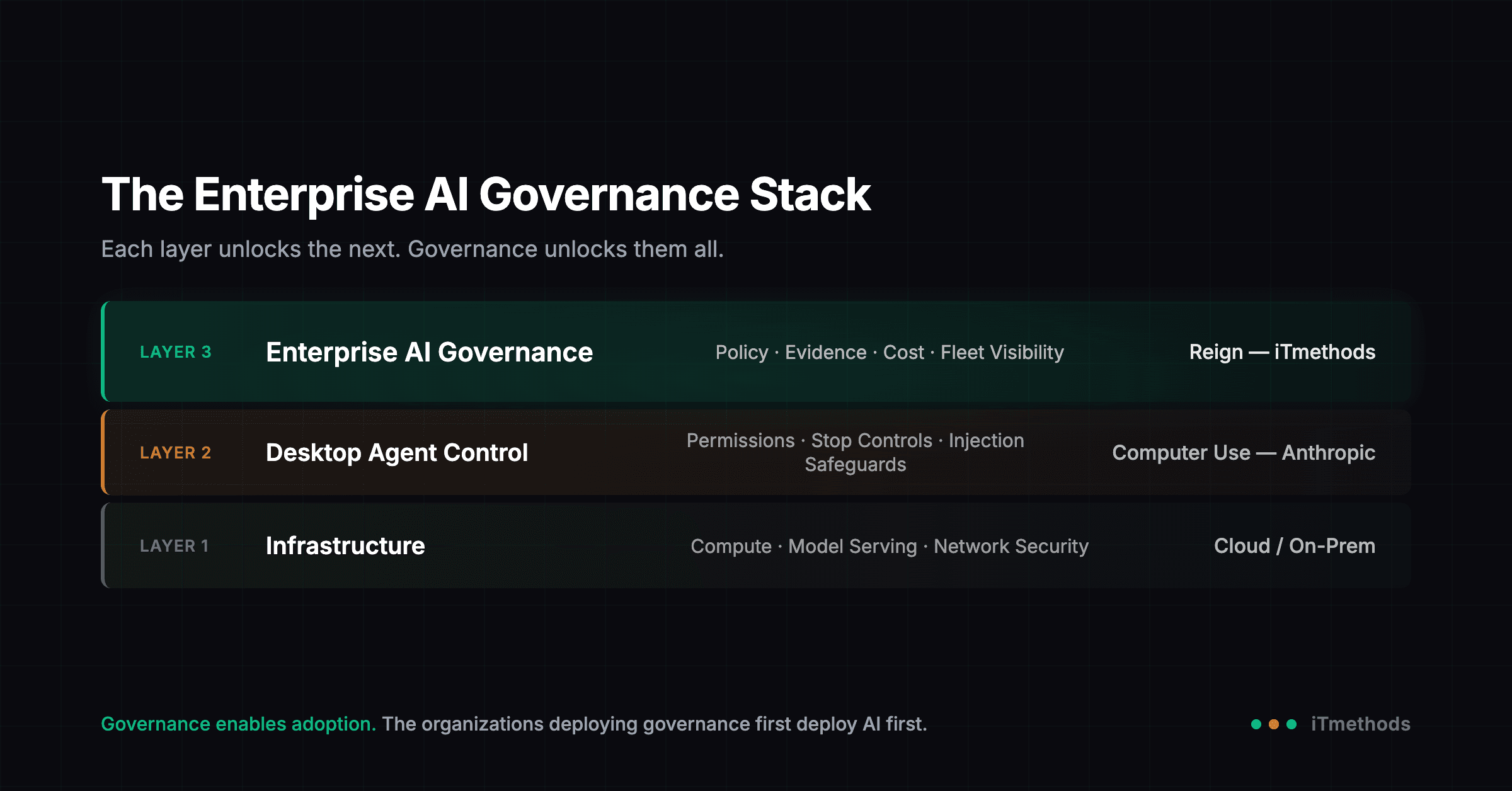
For Computer Use specifically, the stack is clean and direct:
| Layer | What It Governs | Provider |
|---|---|---|
| Enterprise AI Governance | Policy, fleet management, cost, evidence, visibility | Reign (iTmethods) |
| Desktop Agent Control | Permission model, stop controls, injection safeguards | Anthropic (Computer Use) |
| Infrastructure | Compute, model serving, network security | Cloud / On-Prem |
What You Should Do This Week
Immediate (today): Get visibility into Claude Computer Use adoption across corporate devices. You can’t govern what you can’t see. And you can’t greenlight what you can’t govern.
This week: Publish internal guidance on Computer Use and Dispatch. Set clear boundaries for the preview period. And establish a path to broader deployment once governance controls are in place.
This month: Deploy your enterprise AI governance stack. The question is no longer “should we govern AI agents?”. It’s “how fast can we stand up governance so our teams can use Computer Use at scale?”
Paul Goldman
CEO, iTmethods | Building the Trust Layer for Enterprise AI.
Paul Goldman
CEO, iTmethods
Founder and CEO of iTmethods, and the author of The Trust Layer. Previously published "MCP Is Exploding. Your Governance Isn’t Ready."
Continue the AI Governance series
Previous
Securing the Agentic Era: OpenClaw, NemoClaw, and the Governance Layer That's Still Missing
NemoClaw secures the container. Reign governs the enterprise. Here's why you need both.
Next
The Platform Engineering Pivot
AI agents don't manage themselves. The teams that figure that out first will define what AI-native organizations actually look like.
Get Paul’s next article before it publishes
Join 500+ security leaders